Property & building maintenance
Coordinate repairs, customer sites and the visits that keep work moving.
Keep your office and engineers working together, wherever the job takes them.
Quotations, jobs, engineer scheduling, documents, purchasing, costing and invoicing in one browser-based system. Keep the work organised from the first enquiry to the final invoice.
Work in your browser on PC, Mac, tablet or phone.
Prefer a demo? Call 01255 830113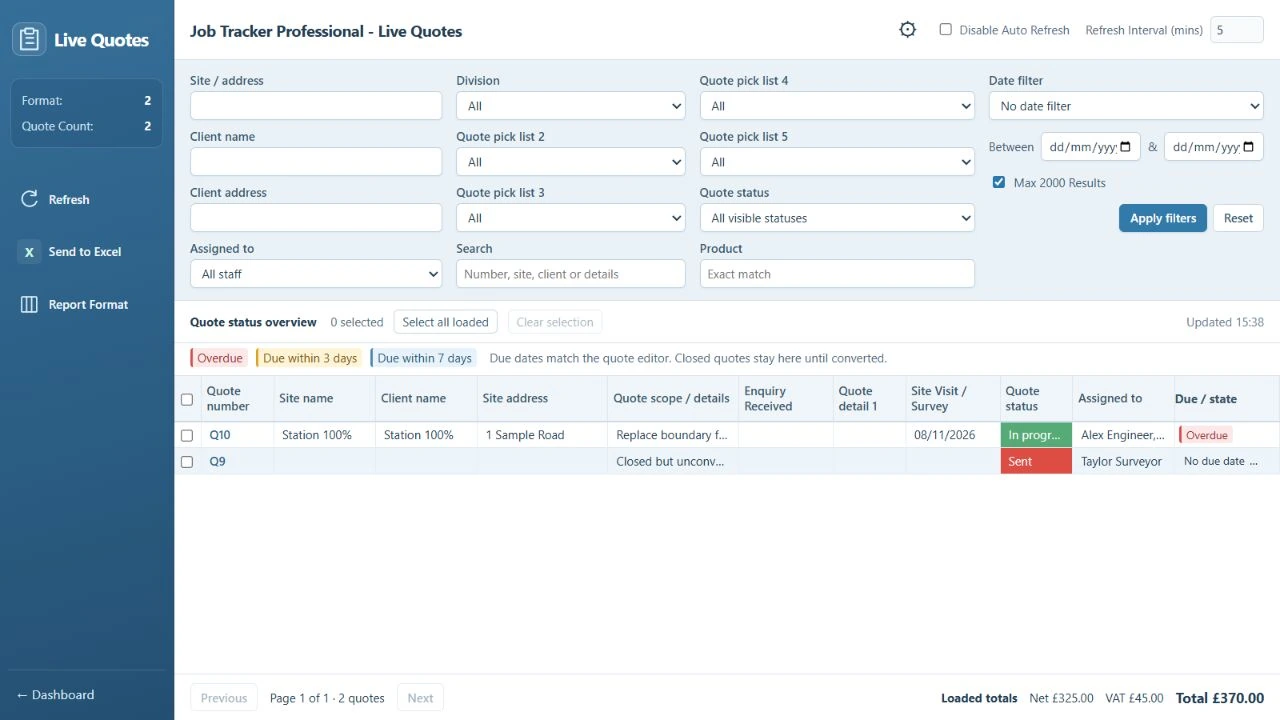
Select a feature to see real product screens and explore how it supports your team.
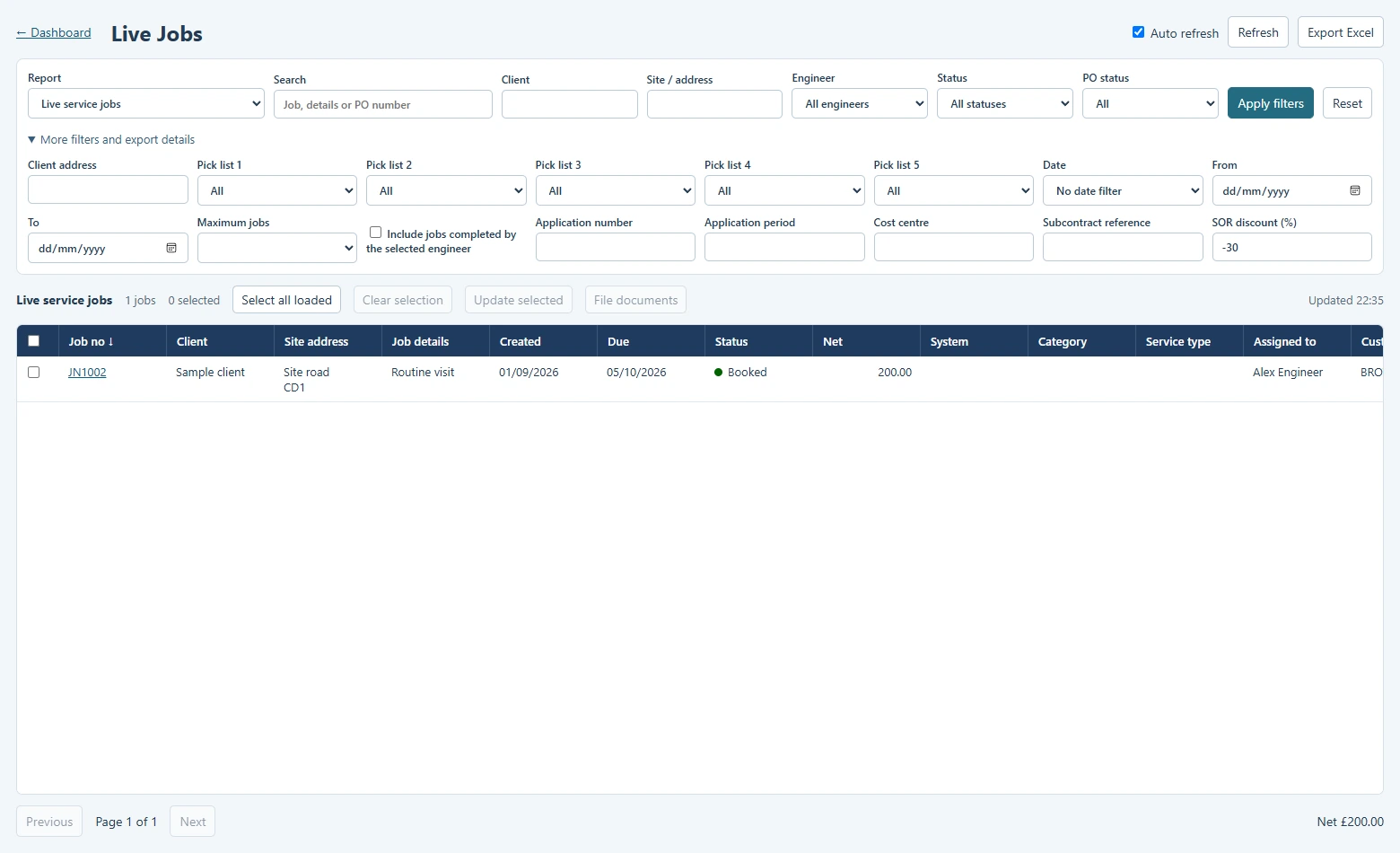
Keep the scope, site details and job history together.
View screenshotsCarry agreed work forward and prepare invoices with the job details to hand.
View screenshotsSee the week’s bookings and organise the next visit.
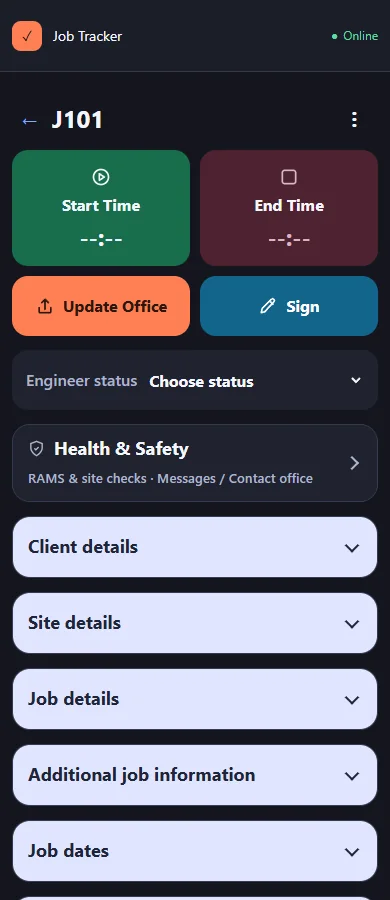
View screenshotsJobs, quotes, H&S, signatures, photos and direct chat with the office.
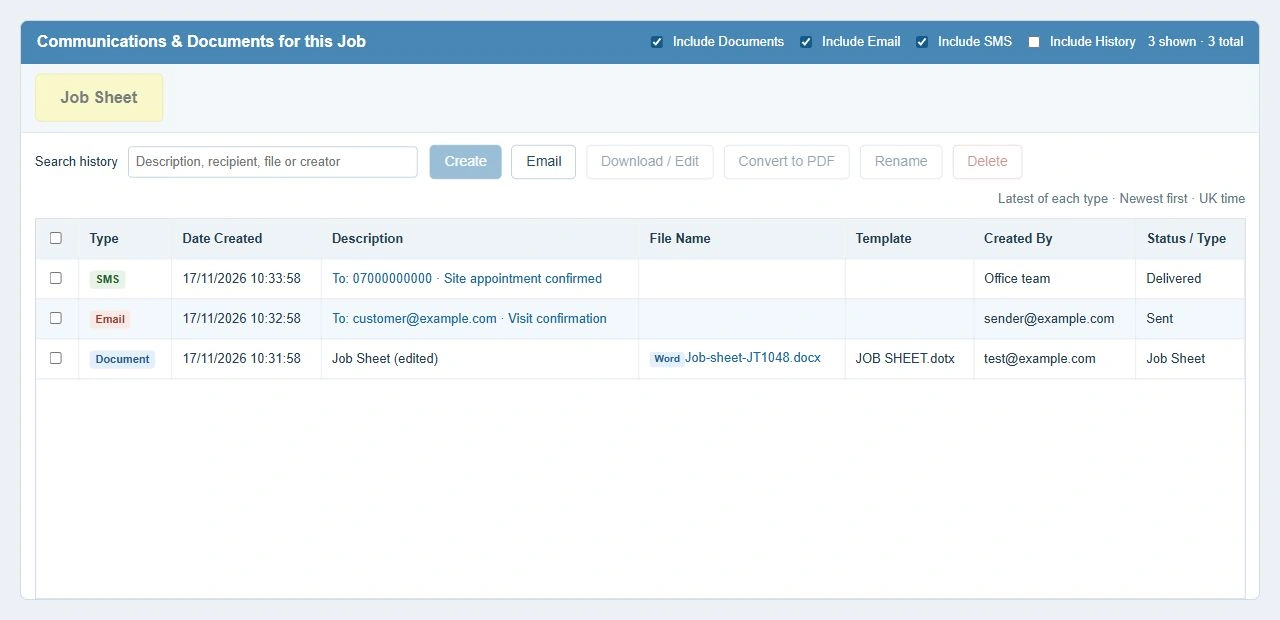
View screenshotsFind the paperwork, photographs and messages alongside the work.
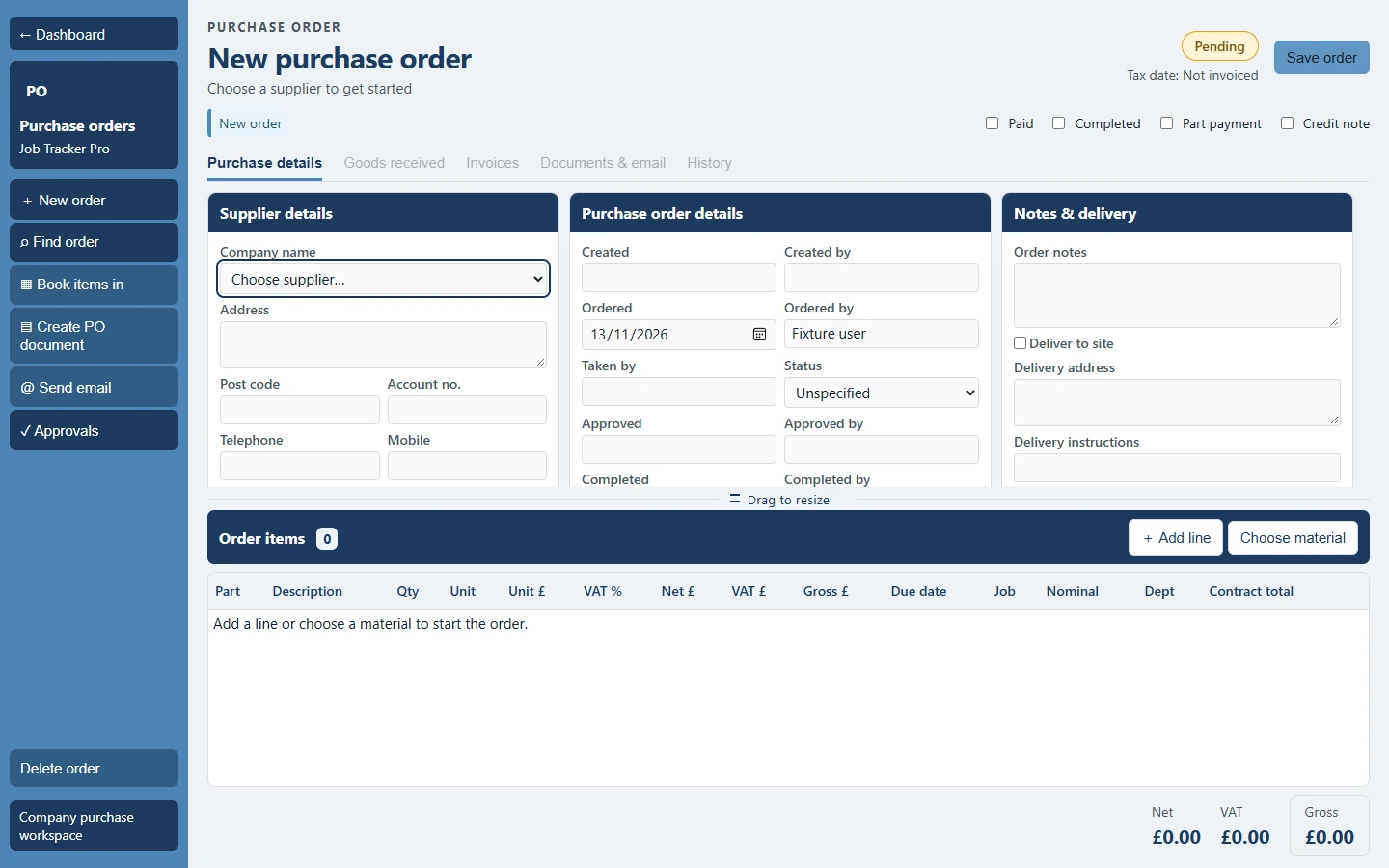
View screenshotsKeep purchasing and supported stock records connected to the job.
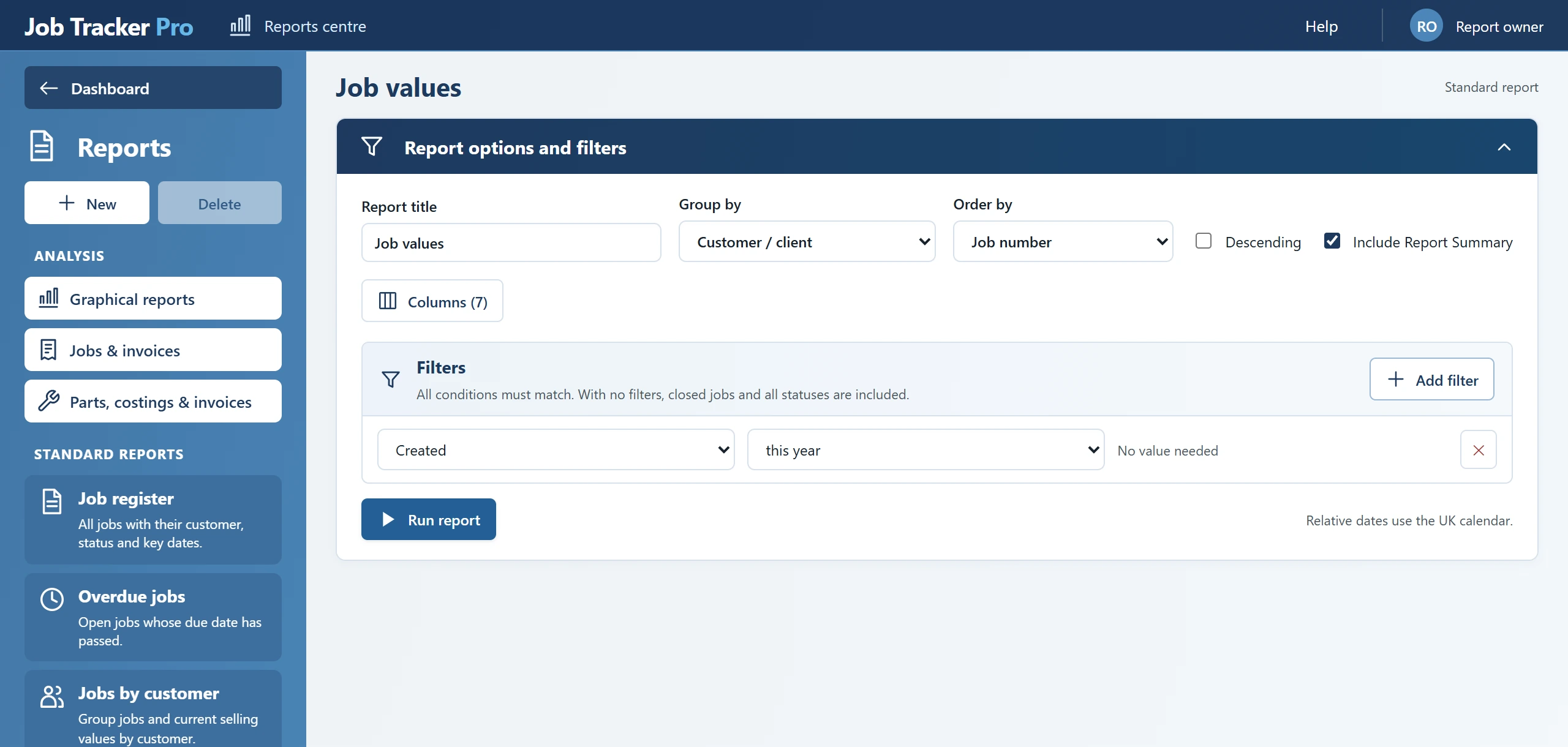
View screenshotsCustomise reports. Choose, arrange and resize only the dashboard cards you need.
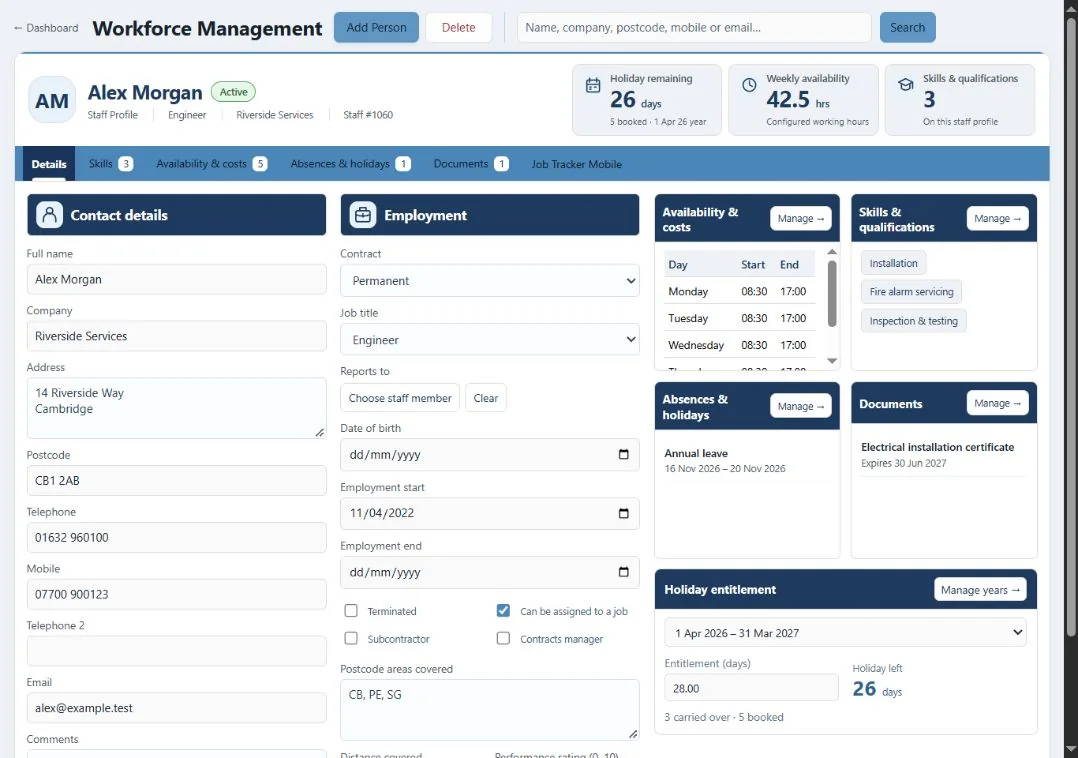
View screenshotsKeep staff information and permissions organised as your team grows.
View screenshots
Engineers need more than a job number. Give them assigned jobs and quotation surveys, H&S checks, photographs, customer signatures and direct chat with the office, all in their browser.
For established service and maintenance businesses with an office coordinating engineers, customer sites and commercial work.
Coordinate repairs, customer sites and the visits that keep work moving.
Keep installation and maintenance work organised from quotation to invoice.
Plan service visits and keep the work record close to the office team.
Give coordinators a clearer view of jobs across customer locations.
Keep site instructions, visit records and supporting documents together.
Connect your office and field teams around the way you manage work.
Illustrative industry imagery. Talk to us about your specialist requirements and the workflow your team needs.
The full standard suite, with office and mobile access for the people doing the work.
£65per user / month, excluding VAT
For your office team coordinating jobs, planning work and managing the commercial details.
£20per user / month, excluding VAT
For engineers accessing assigned work and recording site activity in their browser.
All prices exclude VAT. Optional setup, training, bespoke work and separately agreed third-party services or integrations may carry additional charges.
One connected system. No separate standard module subscriptions.
Give your customers secure access to selected job updates and documents. Your team controls what is shared.
Office and mobile access follow each user’s licence and permissions. Portal access is configured by your team. Optional services and third-party usage may carry additional charges.
Enter a whole number of users, zero or more.
Quote with clarity. Plan the visit. Record the work. Prepare the invoice.
Bring the scope, site information and estimated labour and materials together before the work starts. Give your customer a clear quotation and your team a stronger starting point.
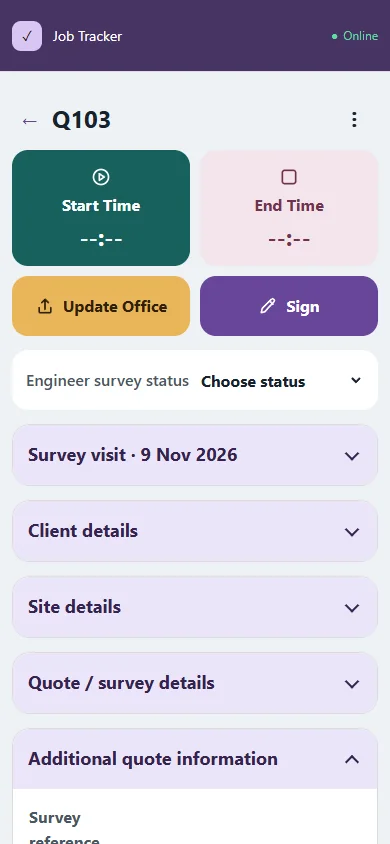
See the office view alongside the engineer survey screen. Filter quotations by customer, site, assigned staff or status, and review due dates and scope to prioritise follow-ups.
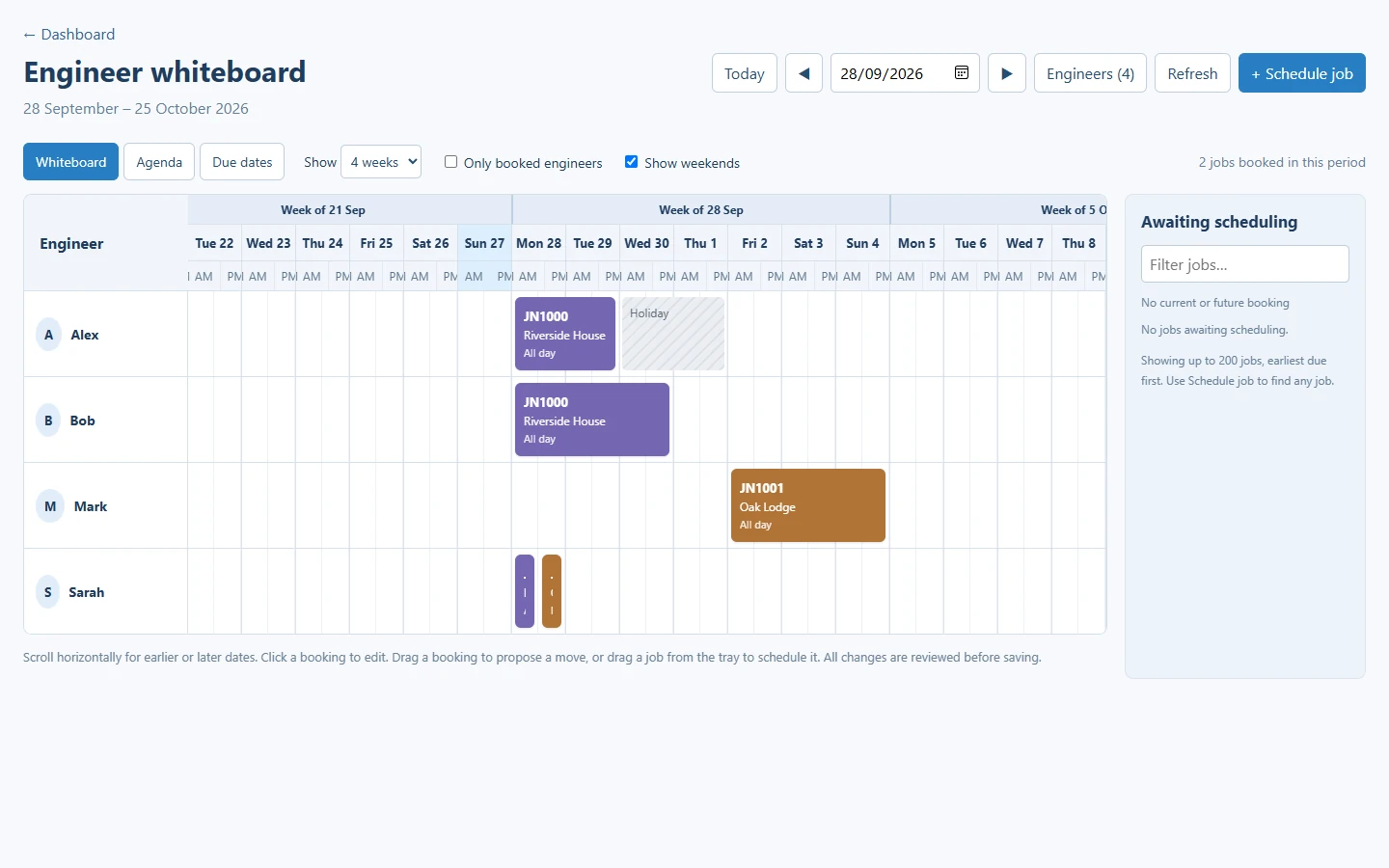
See engineer bookings together on the whiteboard, so the office can organise the people and visits behind each job. Make the next action easier to see when plans change.
Give engineers access to assigned work on site, with a practical way to save what happened. Help the office follow up with the job information in front of them.
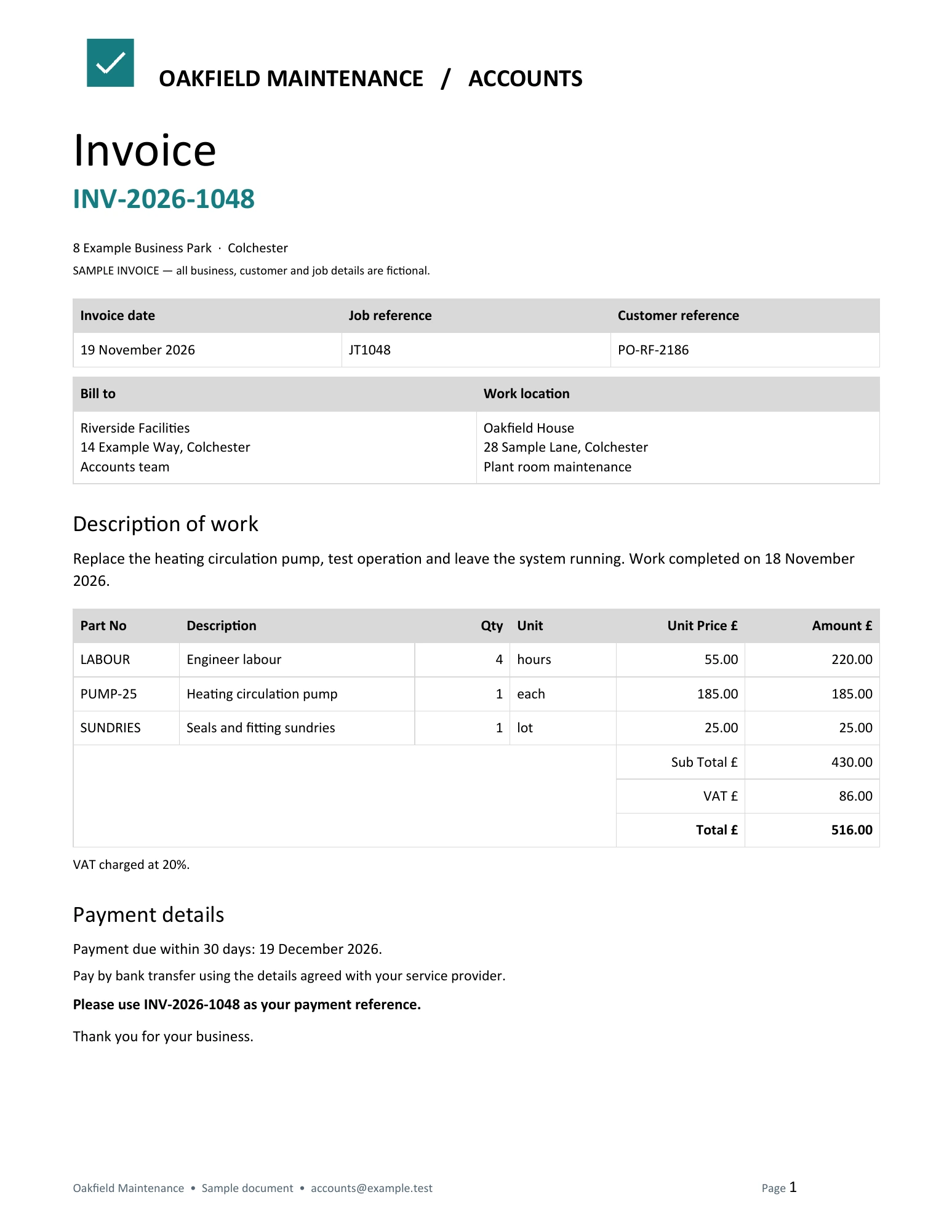
Bring the recorded work and commercial details back to the office for review. Prepare invoices with the job context to hand, helping your team follow through after the visit.
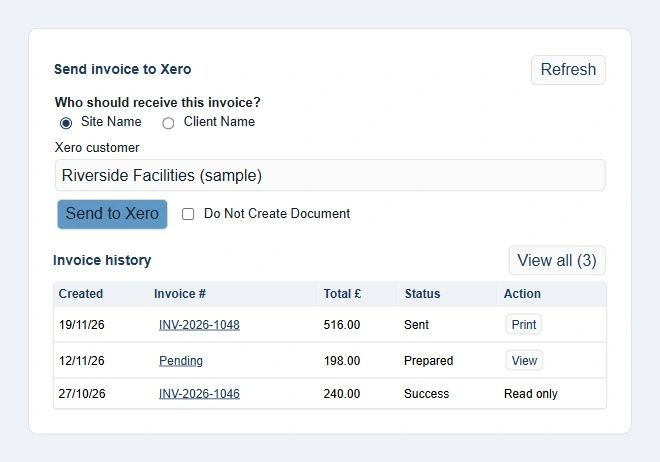
Keep the office in control of the next step. This Accounts view shows the configured Xero workflow: choose the site or client recipient, prepare the invoice handoff and revisit recorded invoices. Xero connection and company setup are required for this workflow.
Job Tracker Pro has helped service and maintenance businesses manage their working day for over 20 years. Fully developed in the UK by Sherwin Business Systems Ltd, it brings experience of office coordination, field work and the paperwork behind the job.
JTCloud is our latest edition: the browser-based Job Tracker Pro, connecting your office and engineers in a modern web workspace. Because we develop the system ourselves, we’re happy to provide quotes for bespoke work. Explore a trial, or call our Essex-based team to discuss your requirements.
Meet the companyAn established product family, shaped around the practical needs of service businesses.
Built by Sherwin Business Systems Ltd, based in Tendring, Essex.
Use JTCloud across PCs, Macs, tablets and phones in your browser. Need something specific? Our own development team can quote for bespoke work.
01255 830113Have a specific question? Call our team on 01255 830113.
Yes. The customer portal is included in the standard suite. Your team configures customer access and chooses the job information and documents to share.
Yes. We develop Job Tracker Pro ourselves and are happy to discuss your requirements and provide a quote for bespoke work. Call 01255 830113 to talk through what you need.
Job Tracker Pro is browser-based and works across PCs, Macs, tablets and phones. Office users and engineers have interfaces suited to their work.
Yes. The new product runs in a browser, with a separate engineer interface for assigned site work. It is presented here as public beta.
Use Create a trial account to open registration on jtcloud.co.uk. Company and administrator details are entered there. If you prefer to see the workflow first, call 01255 830113 for a demonstration.
It is aimed at service and maintenance businesses with office staff coordinating field engineers, multiple jobs, documents and invoicing. A trial or conversation should test your own workflow and specialist requirements.
Talk to the team about your existing version, modules and historical records. Supported data and documents can be assessed for an assisted move; complete parity or one-click migration is not promised.
Create a trial account and explore the new web-based Job Tracker Pro.